Local-first · macOS desktop app
The dbt workbench that never leaves your machine.
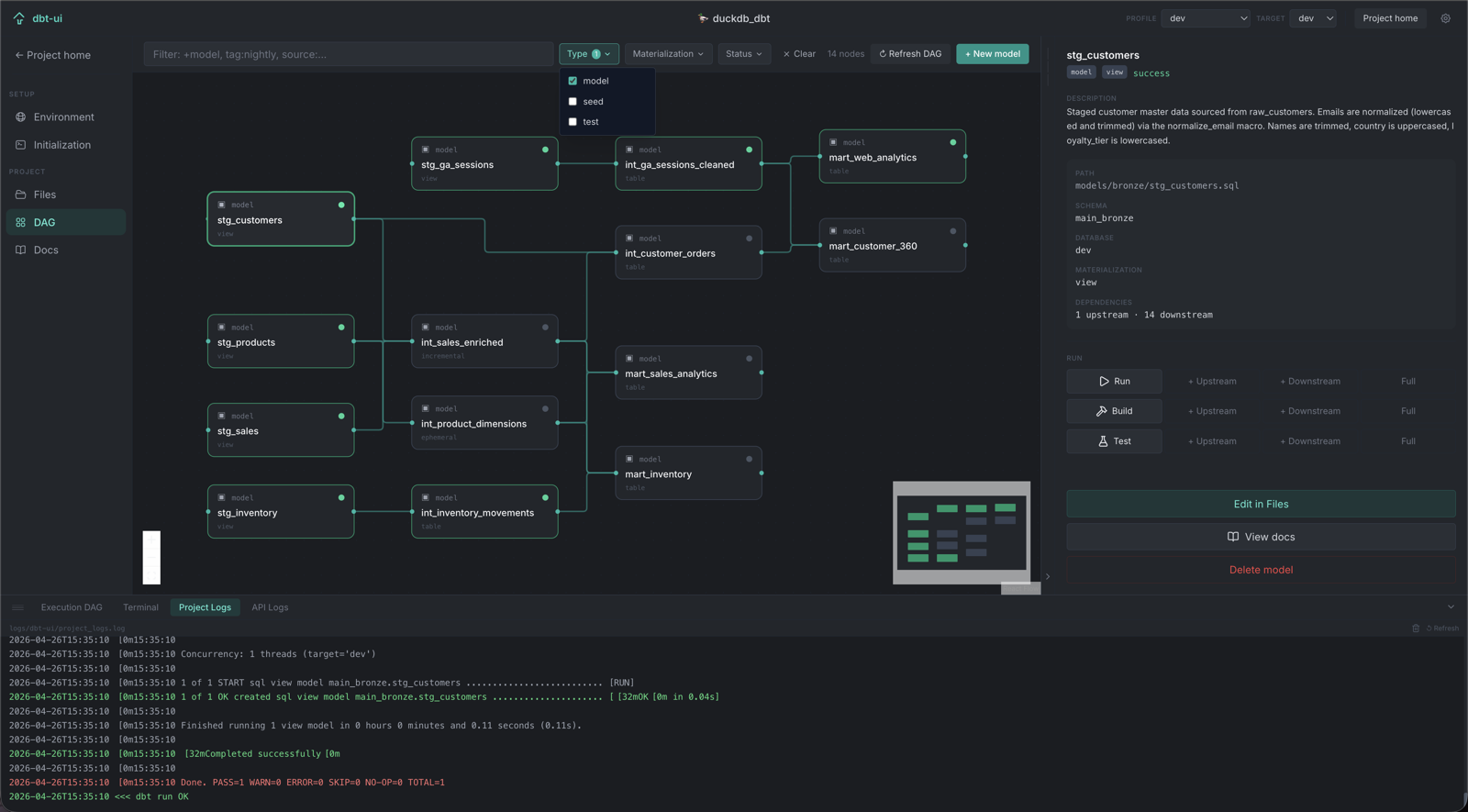
An interactive dependency graph, live run/build/test with streaming logs, an in-browser SQL editor, and full Git support — running against your dbt-core projects with no cloud account and no data leaving your laptop.
Free and open-source core · Pro adds column-level lineage
What's inside
Everything you'd script together, already wired up.
dbt-ui replaces the loop of terminal, docs server, and a half-dozen browser tabs with one app that stays in sync with your project on disk.
Interactive DAG
Dependency graph with live status badges, dbt selector syntax (+model, tag:x), and real-time updates while models run. Multi-select to run, build, or test a whole slice at once.
Run, build, test
Trigger any dbt command from the side panel with upstream/downstream/full selector support. Logs stream live — no separate terminal tab to babysit.
SQL Workspace
A standalone scratchpad with Monaco (the VS Code editor), a Compiled SQL tab, and a resizable results pane. Cmd+Enter runs, Cmd+S saves.
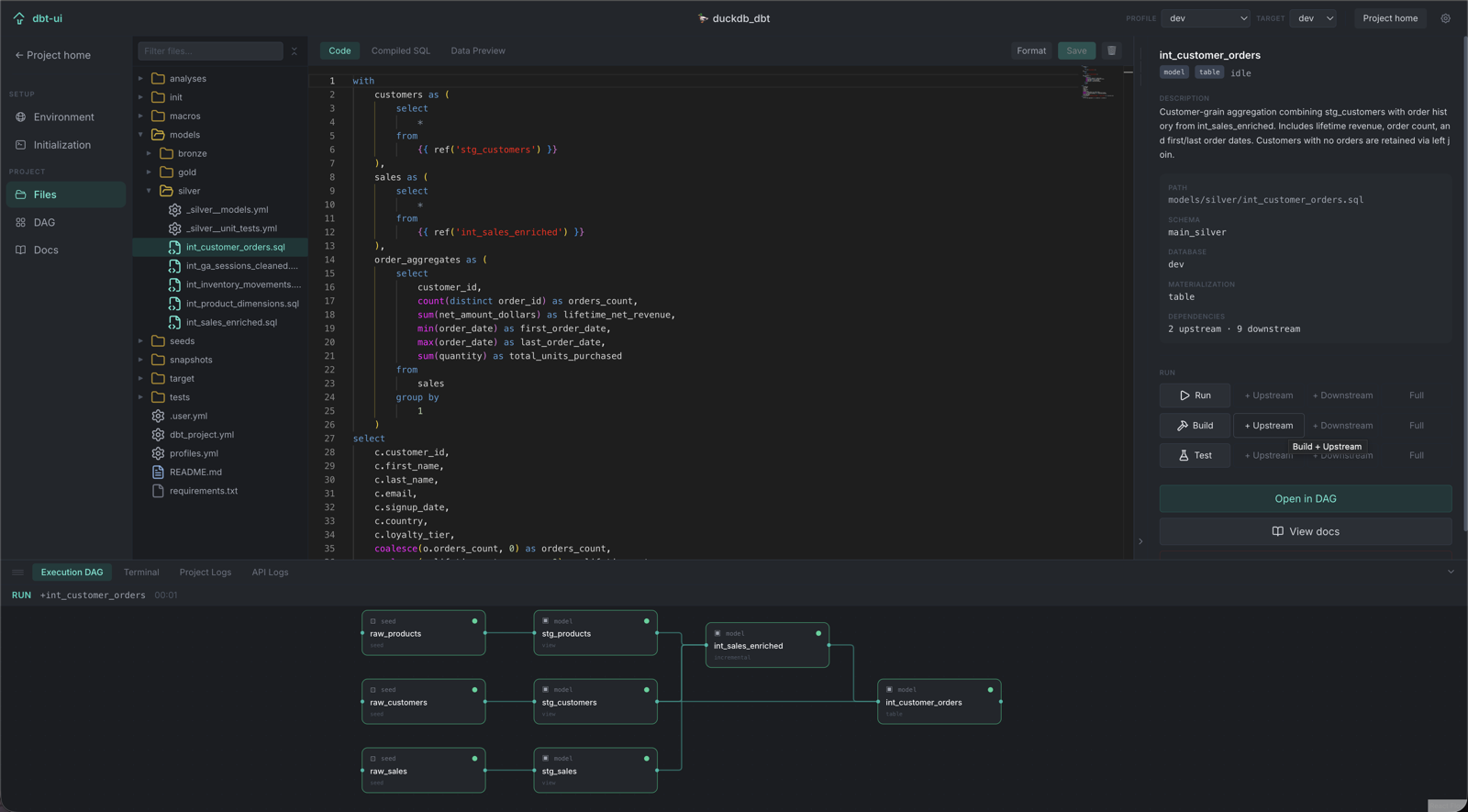
File explorer & editor
Browse your project tree and edit model SQL, YAML, and config in-browser, with ref/source autocomplete and cmd+click navigation.
Source control
A VSCode-style Git panel: stage, diff, commit, push/pull with live streaming output, branch switching, and commit history — without leaving the app.
Health & drift checks
Run dbt debug for a structured pass/fail table, or scan for schema drift between your warehouse and manifest.json — both from the same window.
Editing, not just browsing
Open a model, see everything about it.
The side panel surfaces dependencies, materialization, test coverage, and run controls without a page navigation — and the same Monaco editor VS Code uses is right there for edits.
Pricing
Free for the whole workflow. Pro for column lineage.
dbt-ui's core is free and open-source, permanently. Pro is a single add-on for teams that want column-level lineage tracing across their DAG.
- Full interactive DAG & run/build/test
- File explorer, SQL editor, terminal
- Git source control
- Health check & schema drift
- Column profiling & test coverage heatmap
- Run history
- Everything in Base
- Column-level lineage tracing across the DAG
- Derived from compiled SQL — no yml docs required
- Priority support
Get started
Three steps to your first DAG.
dbt_project.yml files and lists everything it finds.